


Showing Differences for Devices
Dear JDisc users,
our Device History Add-On highlights changes on devices which occur over time. This very useful feature to track changes was only applicable on a device level. Up to now, it was not possible to list all devices where a change occurred in the operating system information or any other device information.
We have enhanced our Device History Add-On with a new report which lists all changes for all devices in the database. In a first step, you might choose the fields that you are actually interested in. You can define define this on a higher level such as hardware or software. A Details button lets you select the individual items of the category.
Check out the new menu item “Compare Devices…”.
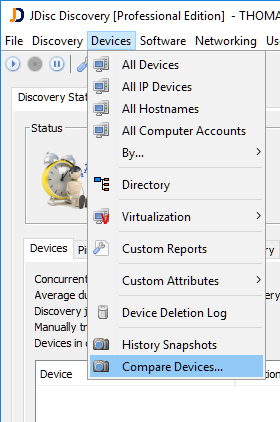
Compare Devices Menu
This menu item open the difference configuration dialog. Within this dialog you can define:
- Which snapshots are going to be compared
- What items you would like to compare
Within the snapshot selection, you might choose between the latest snapshot or between snapshots by date.
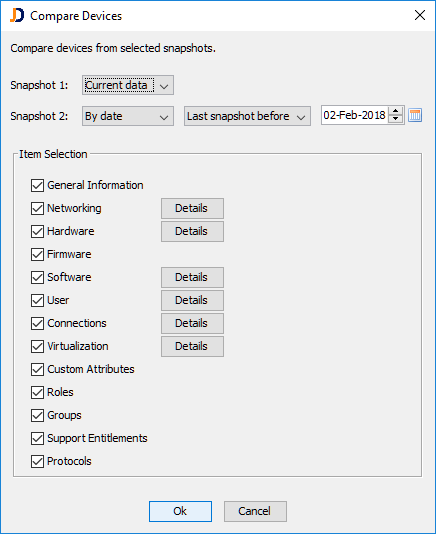
Comparison Configuration Dialog
Click on “Ok” once you have selected the snapshots and the items you would like to see. That is going to bring up the actual report. The diff report creates a checkmark, when the values are equal. Once there is a difference, it creates three icons:
- A plus icon for the number of items/rows being added
- A minus icon for the number of items/rows being removed
- A document icon for the number of changed attributes/rows
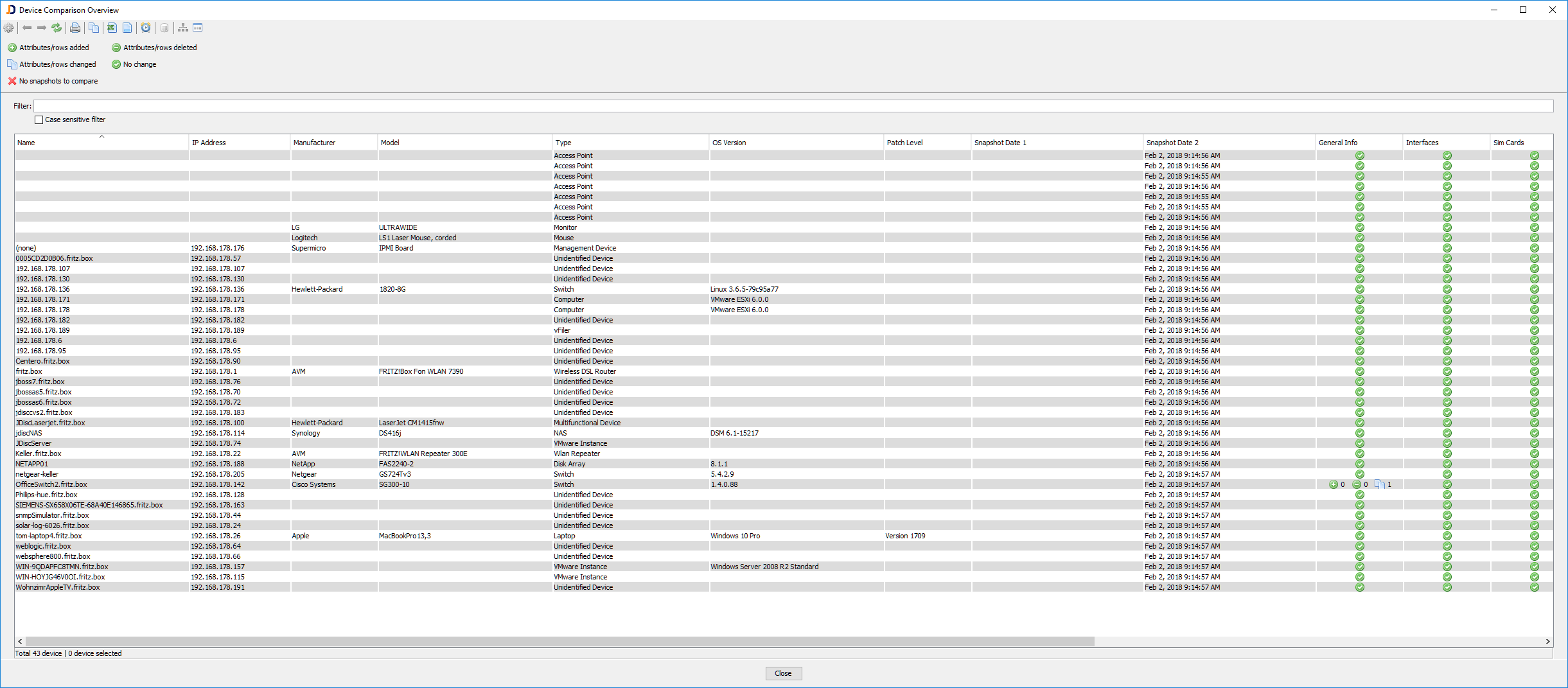
The difference report
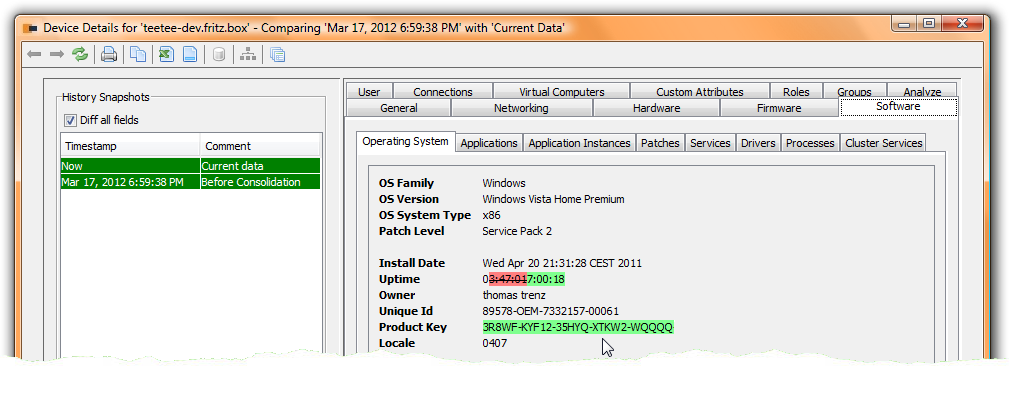
Finally a double click on the cell having changes gets you directly to the device details page showing the actual values. In this case, the name has changed and the “2” has been removed.
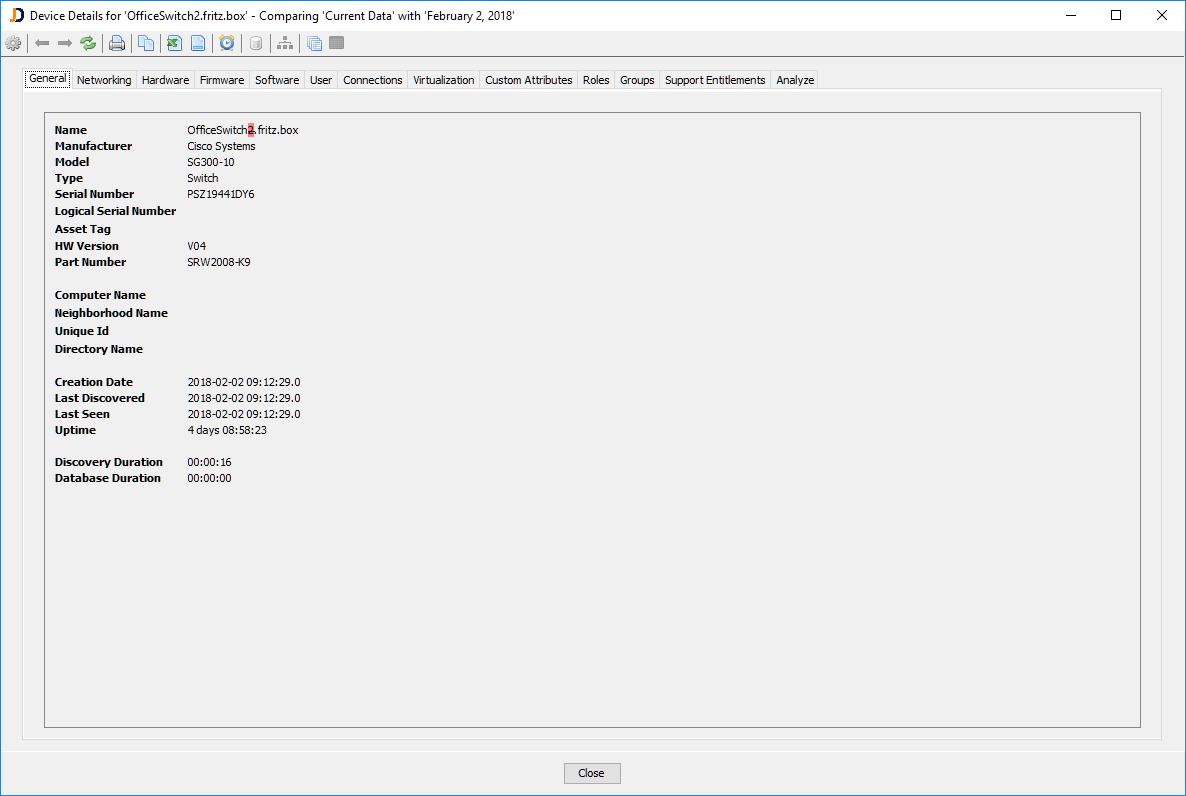
The diff report highlights the change
Hope you like this feature that many customers have been asking for…
The feature will be included in build 4028.
Cheers,
Thomas
