


New Feature: Dependency Mapping Add-On – Process Mapping

Dear JDisc friends,
our Dependency Mapping Add-On can determine the list of open TCP/UDP ports together with the TCP/IP connections. For quite a while, we had the idea to be more precise on the TCP/UDP ports and connections. Right now, we can get the information that there is a communication between device ‘A’ on port 55234 to another device ‘B’ on port 22. After discussions with customers, they also requested to get the IP addresses that are part of the communications. Especially for firewall rules, it is important to know what network interface (IP address) a process is listening on. So we added both:
- the IP addresses involved in the communication
- the processes involved in the communication
So with those enhancements, we can tell that there is a process called “sshd” listening on port 22 on device ‘A’ and there is another process “ssh” (the SSH client) connected via port 55234. This is especially useful to better understand the communication topology for distributed applications.
The Open Ports report lists the open ports together with the IP address that it is listening on. An empty entry for the listen address means that the process listens on all available IP addresses. Finally, it also displays the process id together with the binary name and the command line parameters for the process listing on that port.
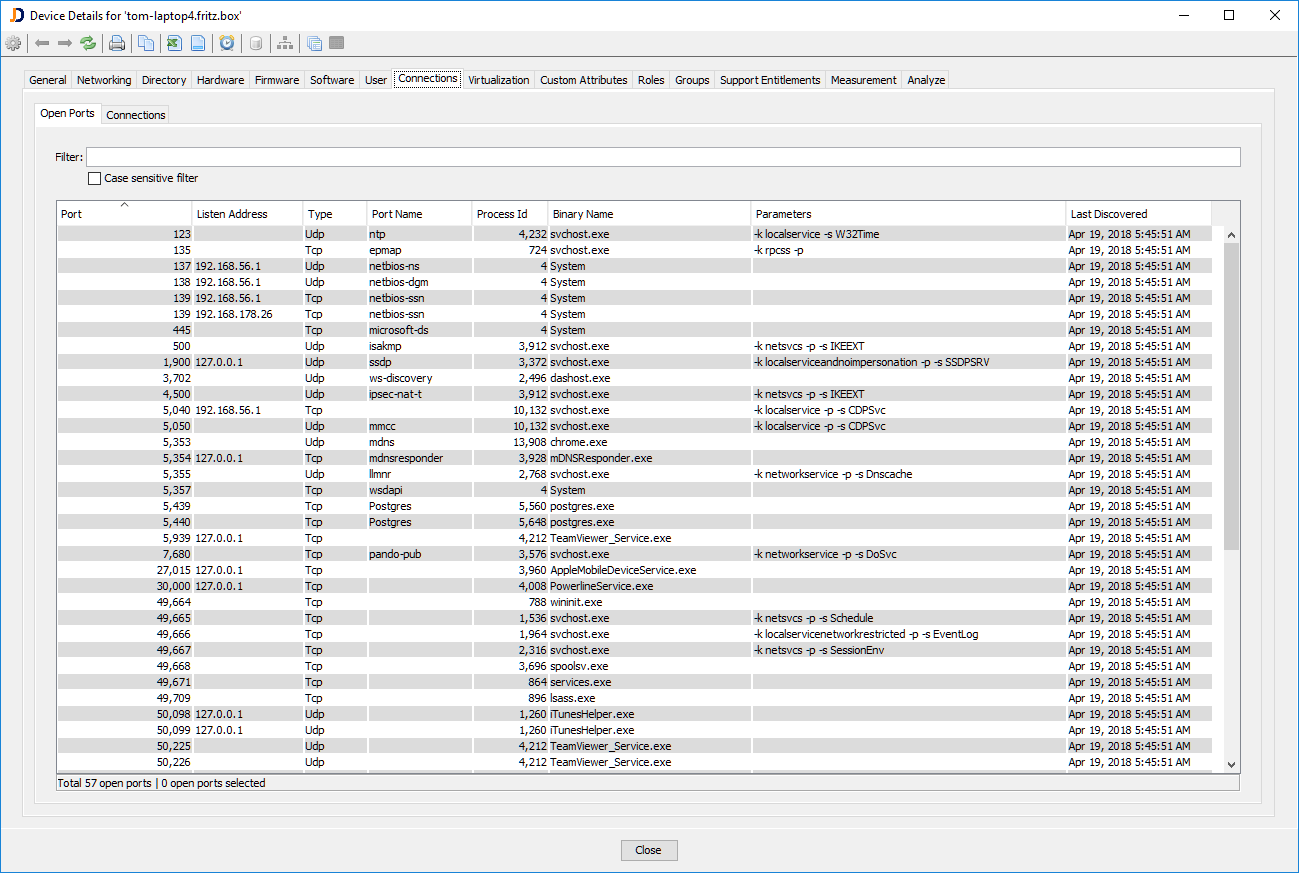
Open TCP/IP Ports and Processes
The TCP/IP connections report lists all TCP/IP connections for this computer together with the local and remote process. In order to obtain the remote process, you need to discover the remote machine. Otherwise, you won’t have the process list on the remote machine.
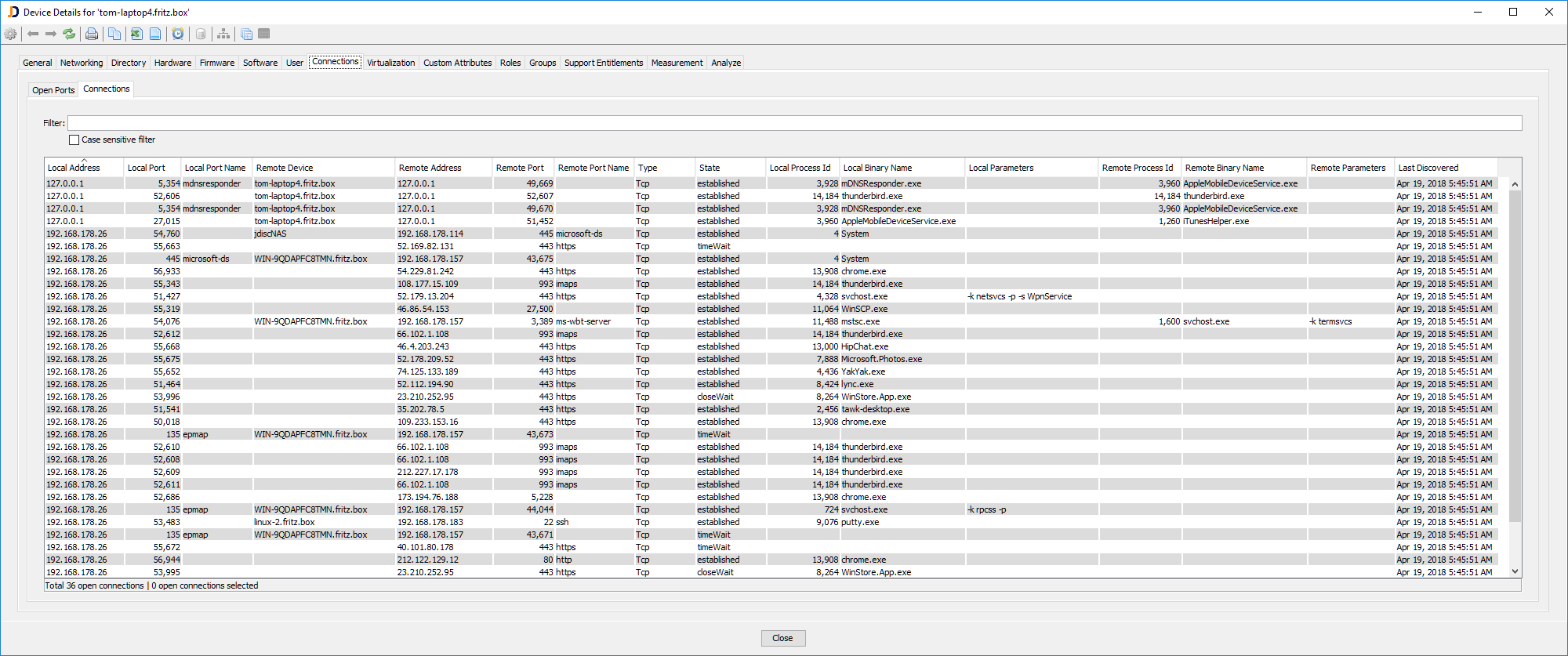
TCP/IP Connections
We have also created a video tutorial for the Dependency Mapping Add-On. Yeah, I know, no voiceover :-). It’s a silent movie :-). But I hope it helps even without voiceover.
This new feature comes with build JDisc Discovery 4.0 – Build 4038.
Cheers,
Thomas
