JDisc Discovery integriert PAM Lösung “Passwordstate”
Firmen nutzen use more and more PAM (Privileged Access Management) tools to store, manage and rotate passwords for essential accounts (like domain admin accounts or root accounts for important servers). Especially rotating passwords make a manual configuration within JDisc Discovery impossible.
Therefore, JDisc has integrated three password managers (Cyberark, Thychotic, Microsoft LAPS) into JDisc Discovery. Within the discovery configuration, users no longer enter a username/password combination but refer to credentials within the PAM tool. The JDisc Discovery process will query the current password when it needs the credentials to scan a device, domain, or directory. Even rotating passwords are then no issue anymore because we will always get the current credentials.
Starting with build 5102, JDisc Discovery also integrates Passwordstate.
Configuration within Passwordstate
Of course, you need to configure API access to Passwordstate. There are two options:
- Systemwide access:
Define a systemwide API key if you would like to grant access to all shared password lists within Passwordstate. - Single password list access:
Define an API key for a single password list to grant access to the passwords defined in the specified list. You will need the Passwordstate internal list id in order to define access for a single password list. By default, the internal ids are hidden in Passwordstate, but you can enable them from the action drop down box within the list properties.
Once, you have the API key and optionally the list id, you can configure access within JDisc Discovery. For that purpose open the Passwordstate server connection dialog.
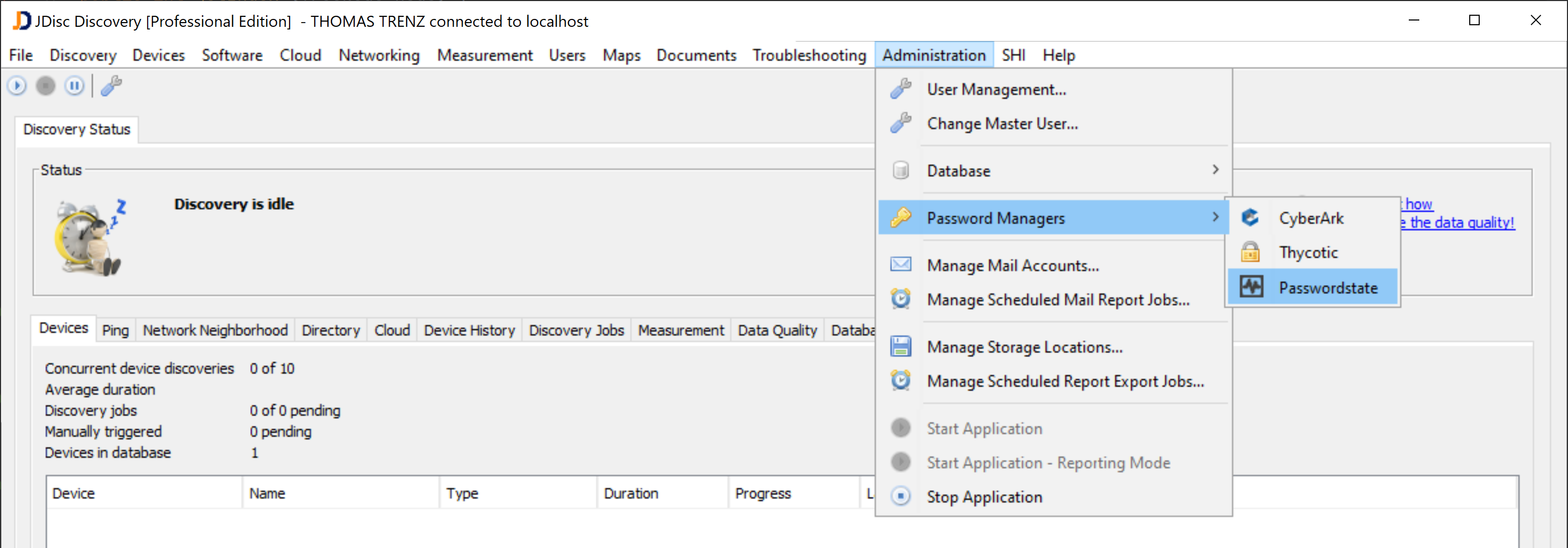
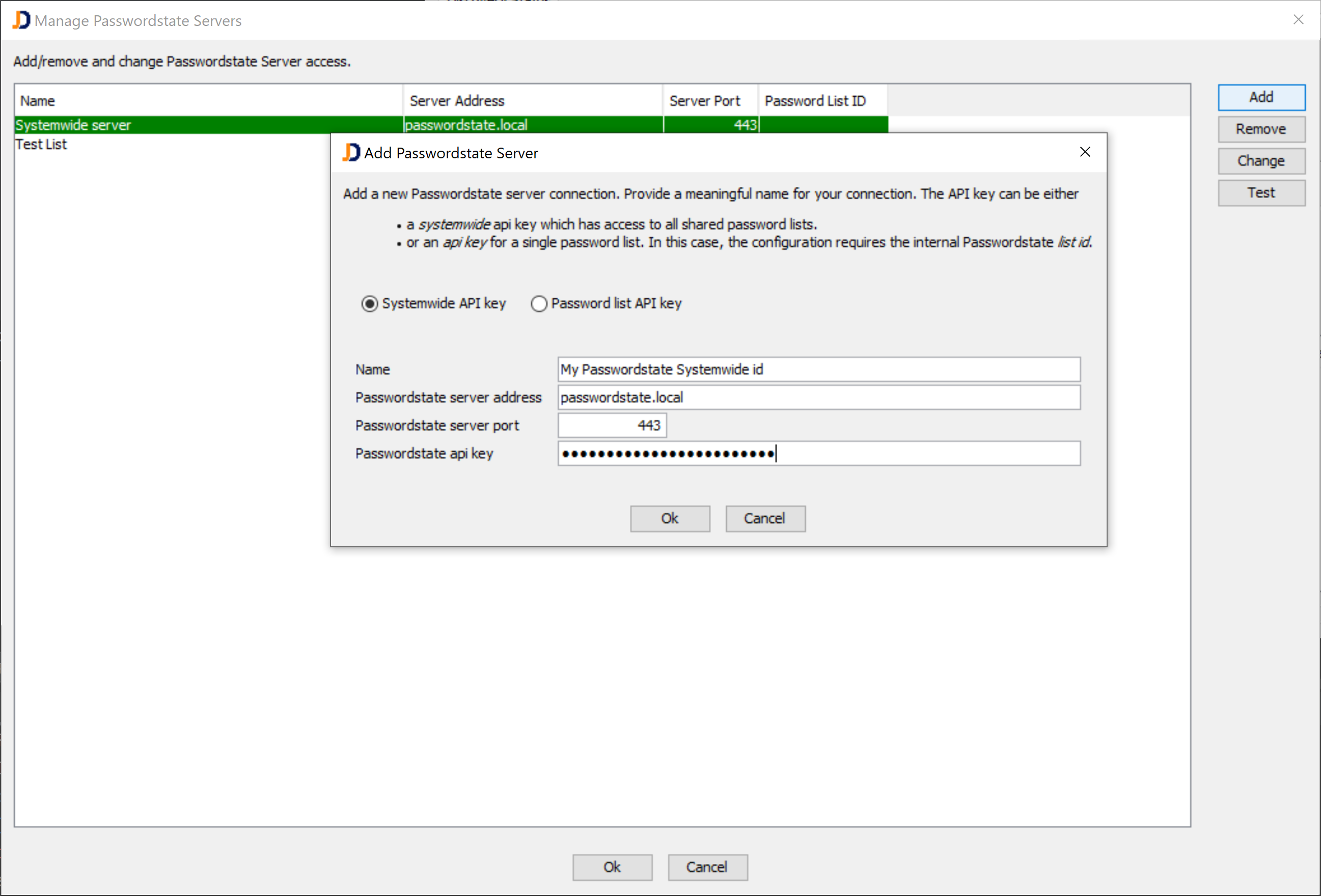
The menu item opens a new dialog with a list of connections. You can define as many Passwordstate connections as you want. For instance, you might define access to multiple lists on one server or you might define multiple lists on different Passwordstate servers.
Click on the Add button in order to add a new connection or Change in order to change an existing connection. Test your connection by clicking on the Test button.
After a successful connection to the Passwordstate solution, you can choose the managed accounts within most credentials-related dialogs.
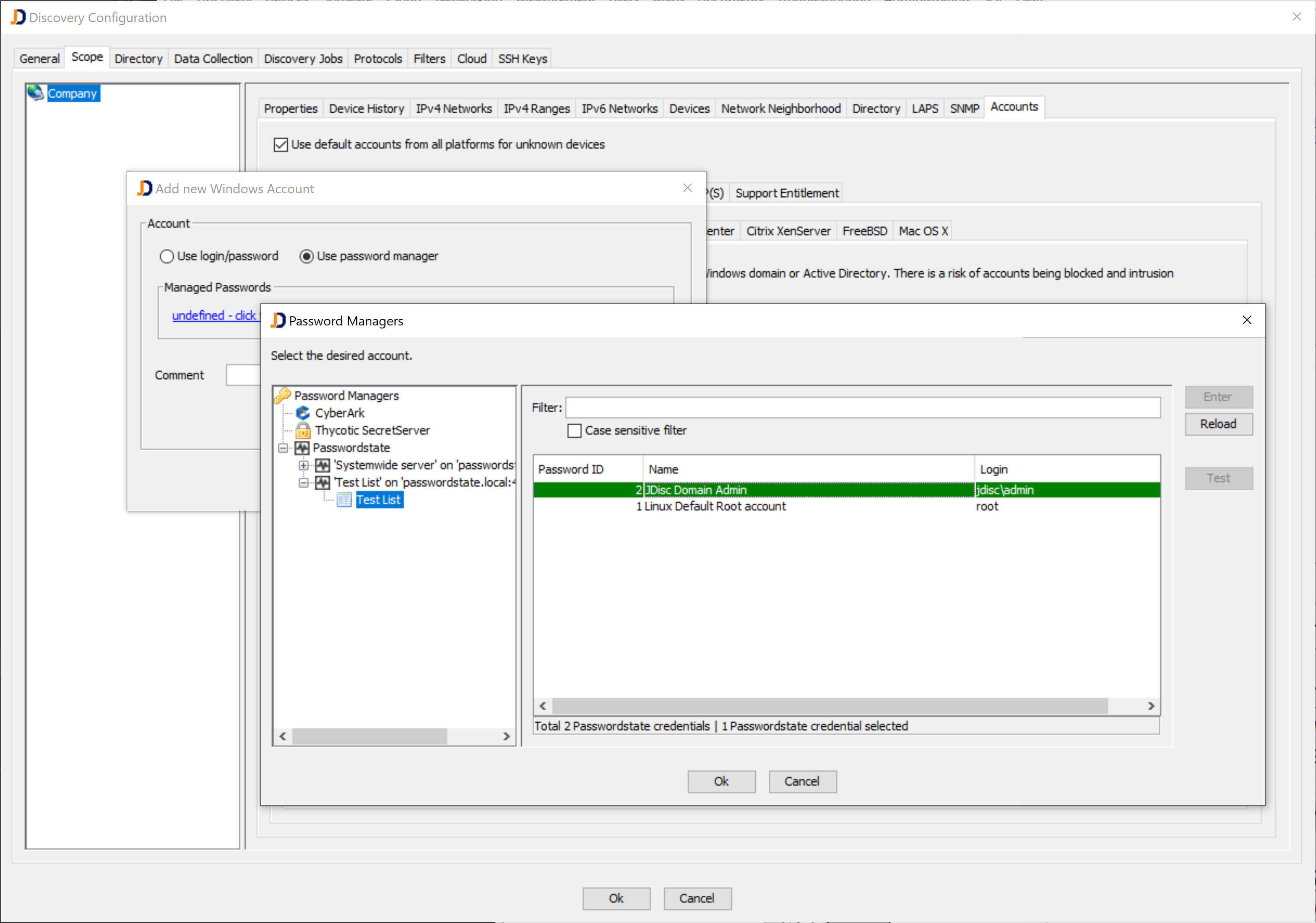
JDisc Discovery will query the Passwordstate server for the current username and password when it needs the credentials to scan a computer.
I hope, you find the new integration useful and we’re as always looking forward to get feedback!
Cheers,
Thomas
Über den Autor