Amazon AWS Discovery

Von: Thomas Trenz | Datum: 7. Oktober 2019 | Kommentar: 0 | Kategorie: Development News
AWS-logo-PNG-Image-715x715

Dear JDisc Discovery users,

after adding support for the Microsoft Azure cloud, we worked on integrating the Amazon AWS cloud in JDisc Discovery.
Build 5001 supports the discovery of Amazon AWS accounts. In the first step, we just check for virtual machines resources within the EC2. Later, we will add more AWS services on request from customers.

How to configure AWS access?

First, you need to create an access key for JDisc Discovery. Create a new user within the Amazon IAM service and select the access type Programmatic access.

The user must be assigned the following permissions:
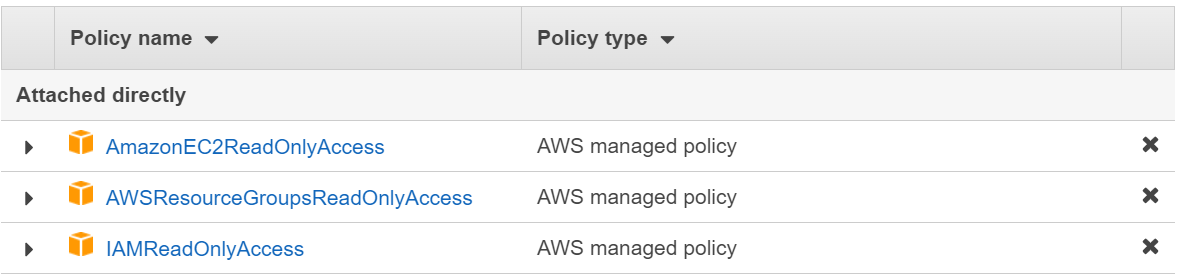
image permissions

Once the user has been created, you can access the Access key ID and the Secret access key. Be sure to note both. The secret access key cannot be recovered and is displayed only once!
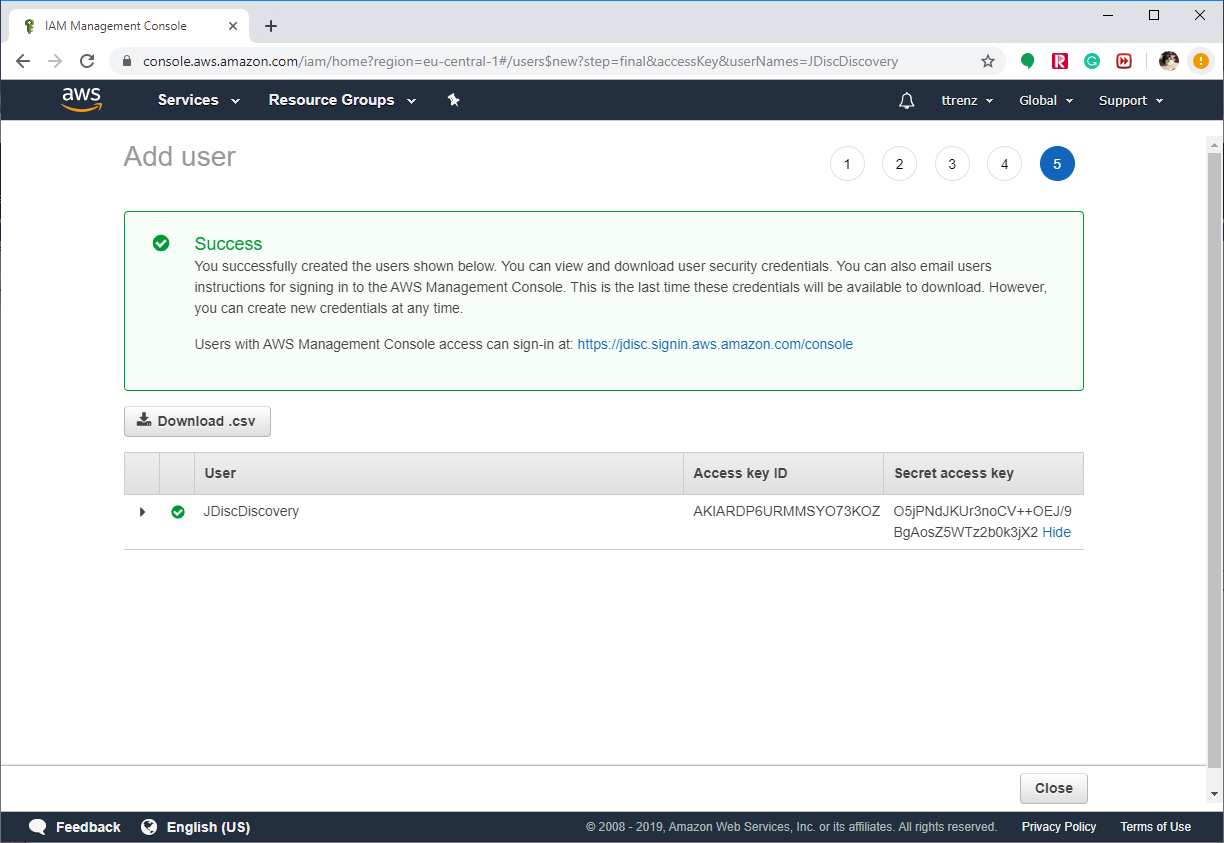
ConfigureAWS Create a dedicated discovery user and obtain its access key and key secret
Create a dedicated discovery user and obtain its access key and key secret…

How to configure JDisc Discovery?

As a next step, open the JDisc Discovery configuration dialog and select the Cloud tab. Within the Cloud tab, select the Amazon AWS tab. Now click on Add in order to add new access credentials and enter the Access key ID and the Secret access key.
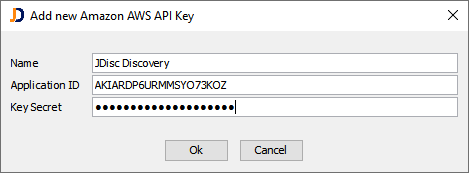
EnterAWSCredentials Enter AWS Credentials
Enter AWS Credentials

Once the discovery starts, it reaches out to the AWS regions in order to gather information about resource groups.
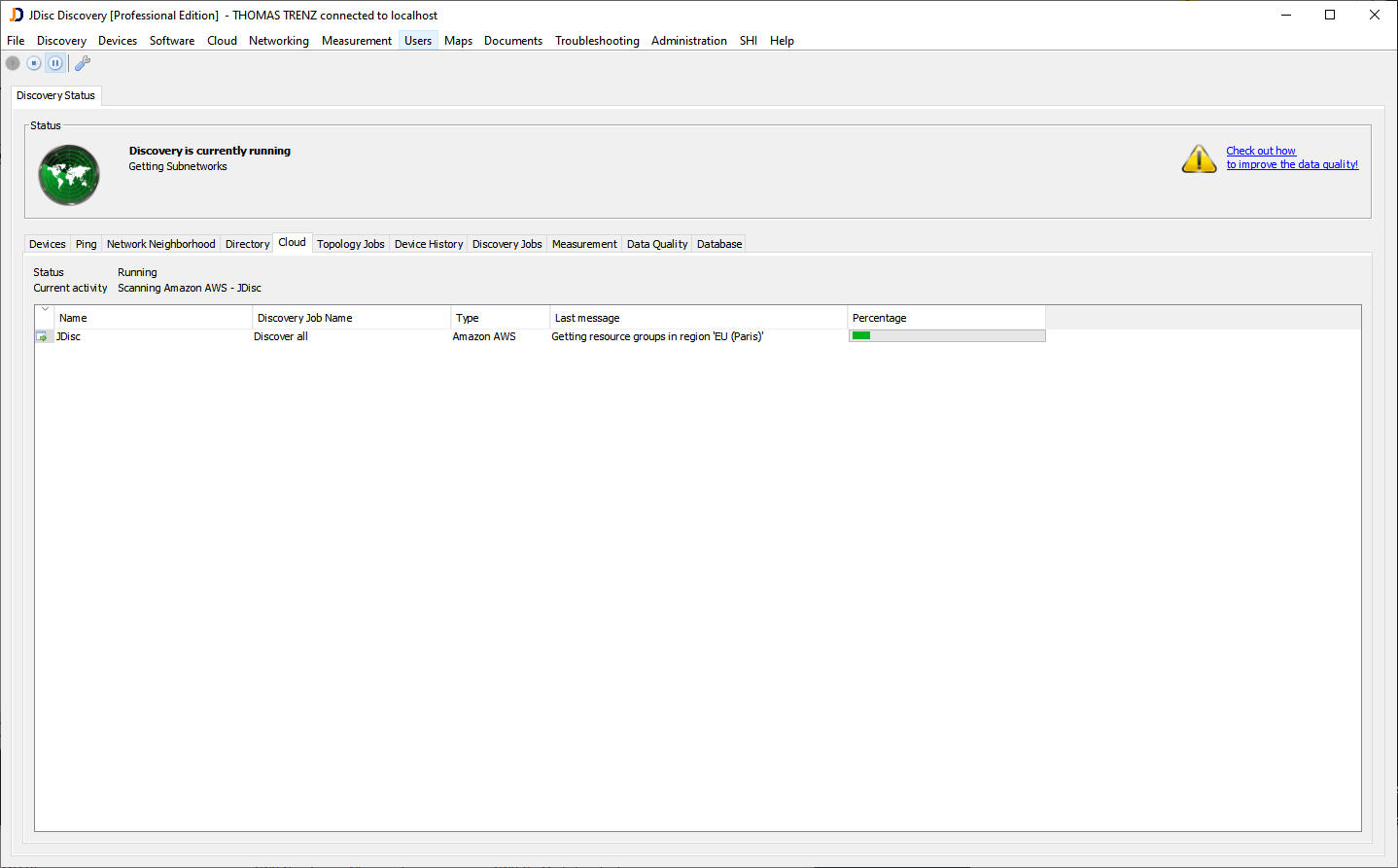
AWSDiscoveryStatus Cloud Status displaying the Progress
Cloud Status displaying the Progress

Once the discovery has finished, the virtual machines are part of the devices list. The model and manufacturer are set according to the booked virtual machine size.
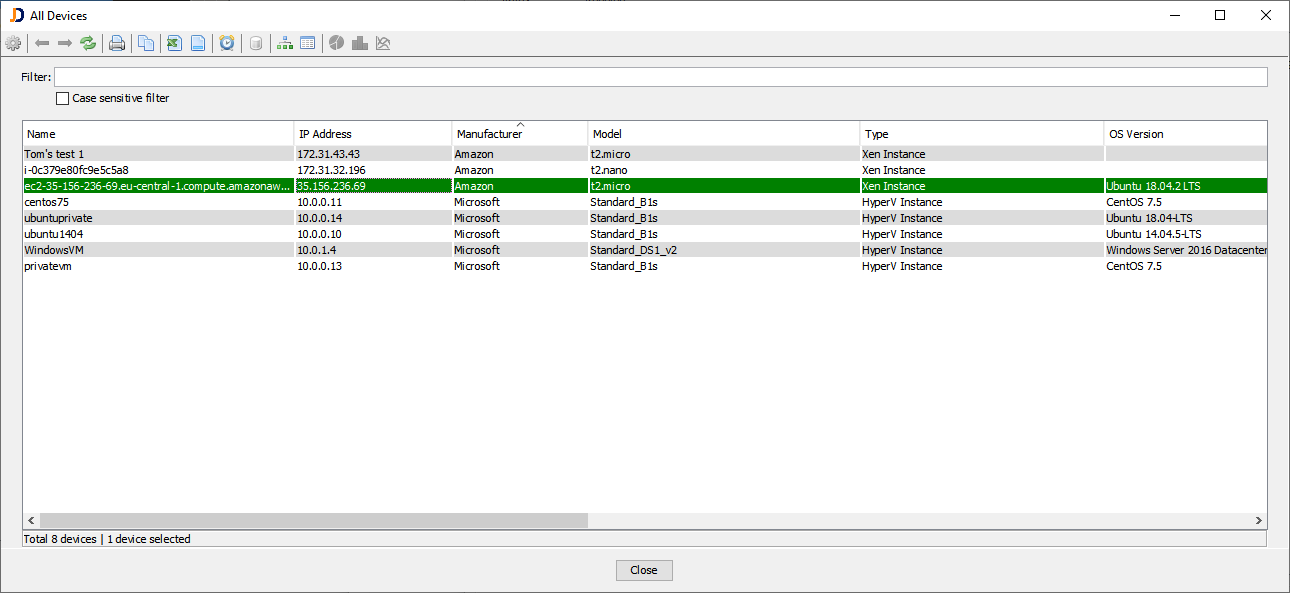
AWSDevices Device List showing a mix of Amazon AWS and Microsoft Azure Resources
Device List showing a mix of Amazon AWS and Microsoft Azure Resources

Open the cloud explorer from Cloud > Cloud Explorer for a more detailed view on the AWS environment including the region and resource groups assignment.
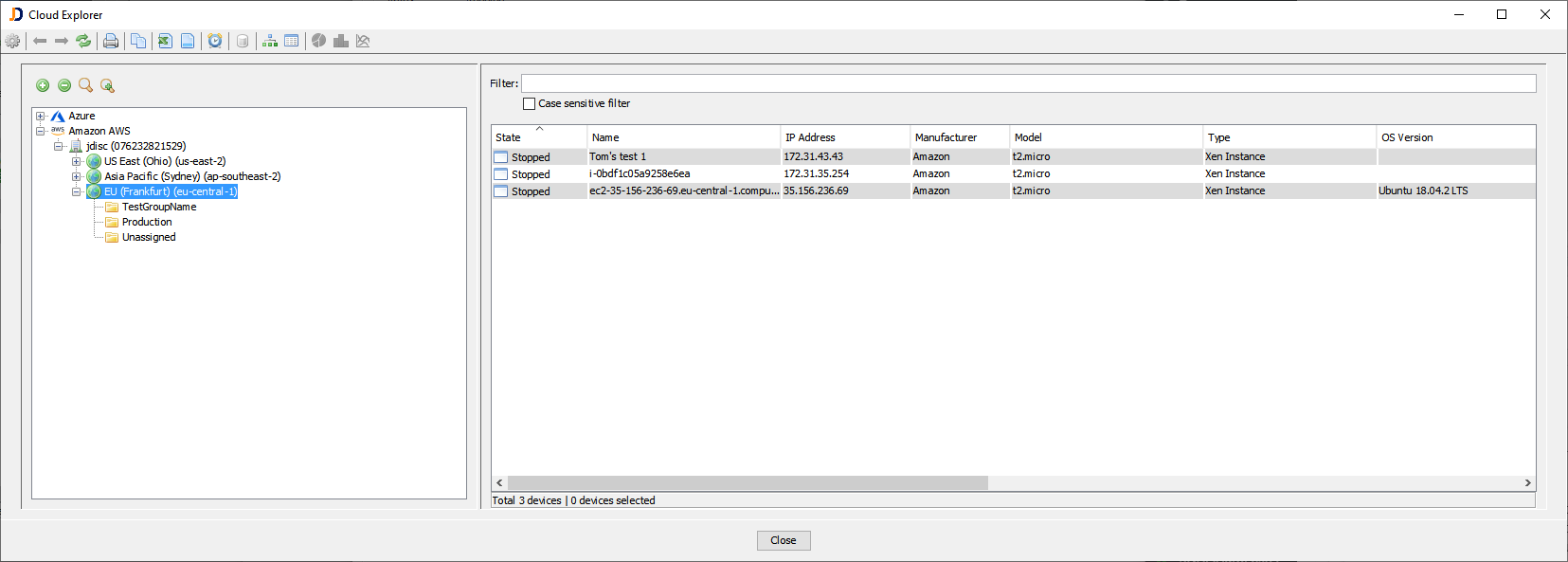
CloudExplorer Cloud Explorer with some Regions and Resource Groups
Cloud Explorer with some Regions and Resource Groups

We hope you like this new feature and we are looking forward to getting your feedback or further enhancement requests…

Cheers,
Thomas

Über den Autor

Thomas Trenz

Thomas Trenz ist Mitgründer und Geschäftsführer der 2009 gegründeten JDisc GmbH. Er verfügt über mehr als 25 Jahre praktische Erfahrung in den Bereichen Netzwerk Discovery, IT Asset Management, CMDB-Integration und Enterprise-IT-Infrastrukturen.

Bei JDisc ist Thomas weiterhin eng in die Produktstrategie und Entwicklung von JDisc Discovery eingebunden. Die Lösung für agentenlose Netzwerk Discovery und IT-Inventarisierung wird von Unternehmen weltweit eingesetzt. Im Mittelpunkt seiner Arbeit stehen zuverlässige Infrastrukturdaten und eine Discovery, die auch in großen und heterogenen IT-Umgebungen praktikabel und beherrschbar bleibt.

Thomas schreibt über Netzwerk Discovery, IT-Inventarisierung, CMDBs, Cybersecurity, Software Asset Management, Cloud-Umgebungen und verwandte Infrastrukturthemen. Seine Beiträge basieren auf Erfahrungen aus der Produktentwicklung und dem regelmäßigen Austausch mit Kunden und Partnern. Dabei konzentriert er sich auf praxistaugliche Ansätze, die IT-Teams in realen Umgebungen umsetzen können.

Schreibe einen Kommentar

Deine E-Mail-Adresse wird nicht veröffentlicht. Erforderliche Felder sind mit * markiert